Is Ayuvo an Apple Health alternative?
It is better described as a companion. Ayuvo reads the Apple Health data you allow and adds meals, workouts, records, medications and a coach. It also runs on Android, where it uses Health Connect.
Apple Health is built into iPhone and holds your health data. Ayuvo is not a replacement for it: with your permission Ayuvo reads Apple Health, keeps a local mirror with charts, and adds meal logging, workouts, record scanning, medication reminders and a coach, plus an Android version.
Facts about Apple Health checked 2026-09-25 · See the sources
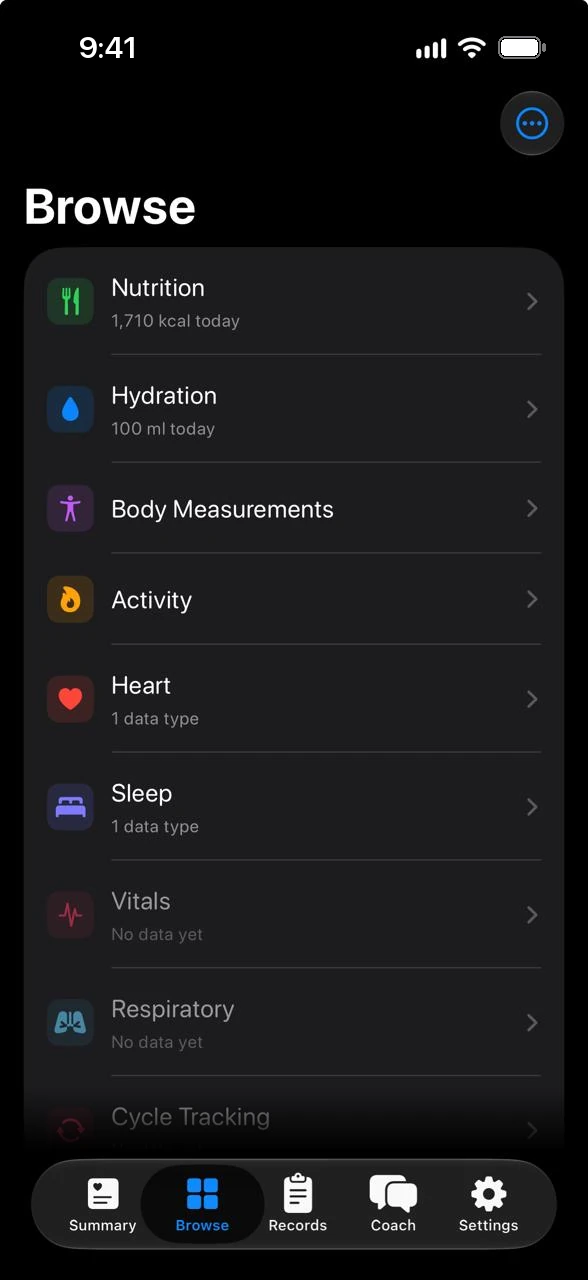
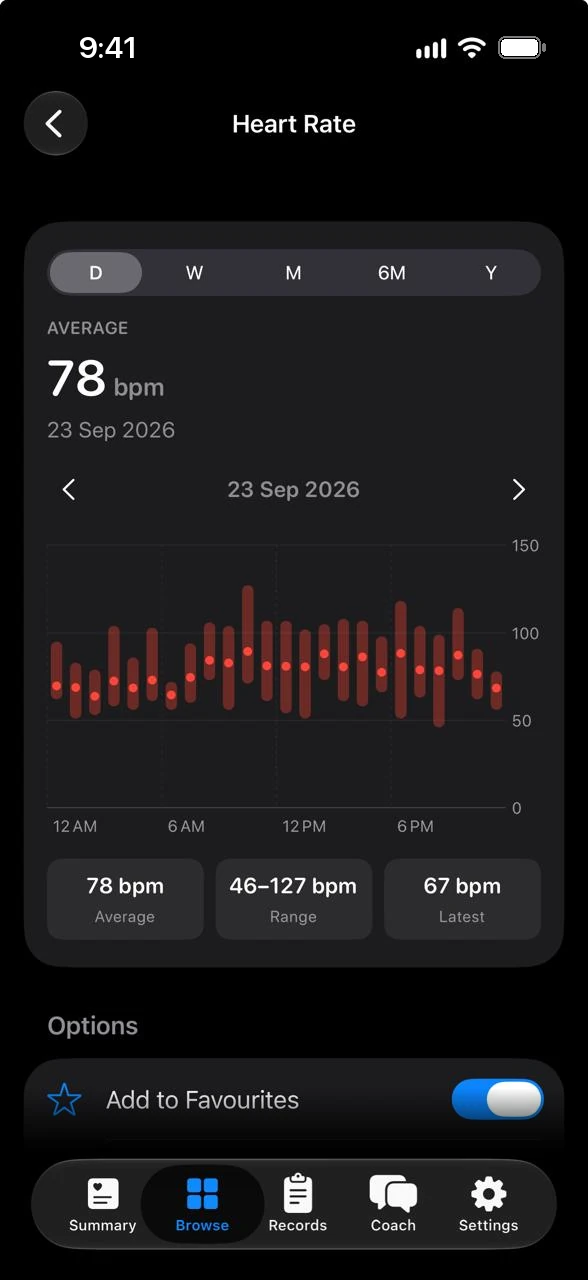
What each one does on the points people ask about most. Every statement about Apple Health links to its own page.
| Compared on | Ayuvo | Apple Health |
|---|---|---|
| What it is | An app for iPhone and Android for meals, workouts, records, medications and your Health data. | The Health app, built in to iPhone, iPad, Apple Watch and Apple Vision Pro1 |
| Data it holds | Mirrors the Apple Health data you allow, and adds its own diary, records and medications. | Says it organises medications, sleep, activity and more in one place1 |
| Records | Camera, scan, file, paste or the share sheet. Read on your phone, with values and highlights. | Store a vision prescription by taking a photo1. Its guide describes downloading health records from your providers2 |
| Where your data lives | On your phone. No Ayuvo account and no Ayuvo server. Not in cloud backups. | States your health data is encrypted on your device. iCloud data is encrypted in transit and at rest, and end to end with two-factor authentication1 |
| Trends | Day, week, month, six-month and year charts, with favourites on Summary. | Trends that show how a metric changes over time and what may influence it1 |
| Meal photo scanning and workout diary | Photo, barcode and voice meal logging, and a workout diary with a 1,300+ exercise library. | Not described on Apple's Health page1 |
| Coach | Optional. Your own key (15 providers) or a model that runs on the phone. | Says the redesigned Health app promises more ways to turn your data into insights1 |
| Android | Yes, using Health Connect. | No. It runs on Apple devices1 |
Start here if these matter most to you.
What Ayuvo does not do, so you can decide with the full picture.
Facts about Apple Health were taken from these pages.
About this comparison. It is written by the Ayuvo team, so it is not neutral. Facts about Apple Health come from its own public pages, listed above and checked on 2026-09-25. Products change, so check Apple Health for current details, and email us if something is wrong. Apple Health is a trademark of its owner. Ayuvo is not affiliated with or endorsed by Apple Health.
It is better described as a companion. Ayuvo reads the Apple Health data you allow and adds meals, workouts, records, medications and a coach. It also runs on Android, where it uses Health Connect.
Yes. Health access is optional. Without it Ayuvo works as a private diary for meals, workouts, records and medications.
Yes. On Android it uses Health Connect instead of Apple Health, and Export All Data moves your history between the two platforms.
Free, private, on your device. Bring your own AI key. No account, no subscription, no ads.
Or read the code: Ayuvo is open source